2주차에 앞서 1주차는 작성중인 글이 날라가서... 정신건강을 위해 1주차 포스팅은 포기하였다..
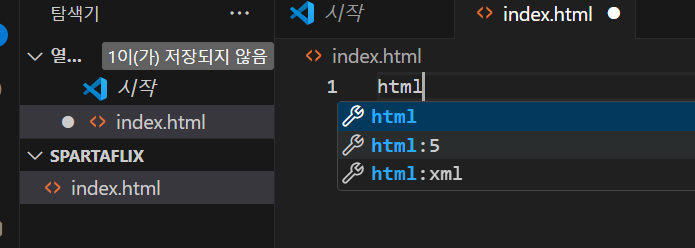
spartaflix 폴더안에 index.html을 만들어준다.
html을 작성후 htnl:5 기본틀 자동완성이 완료된다.
우선 부트스트랩과, 구글폰트를 적용해준다.
 <title>스파르타플릭스</title>
    <link href="https://cdn.jsdelivr.net/npm/bootstrap@5.0.2/dist/css/bootstrap.min.css" rel="stylesheet"
        integrity="sha384-EVSTQN3/azprG1Anm3QDgpJLIm9Nao0Yz1ztcQTwFspd3yD65VohhpuuCOmLASjC" crossorigin="anonymous">
    <style>
        @import url('https://fonts.googleapis.com/css2?family=Gowun+Dodum&display=swap');

        * {
            font-family: 'Gowun Dodum', sans-serif;
        }
    </style>
그 후 바디 태그안에 글을 작성하여 alt+b를 눌러 실행해 잘 되지는 확인해본다

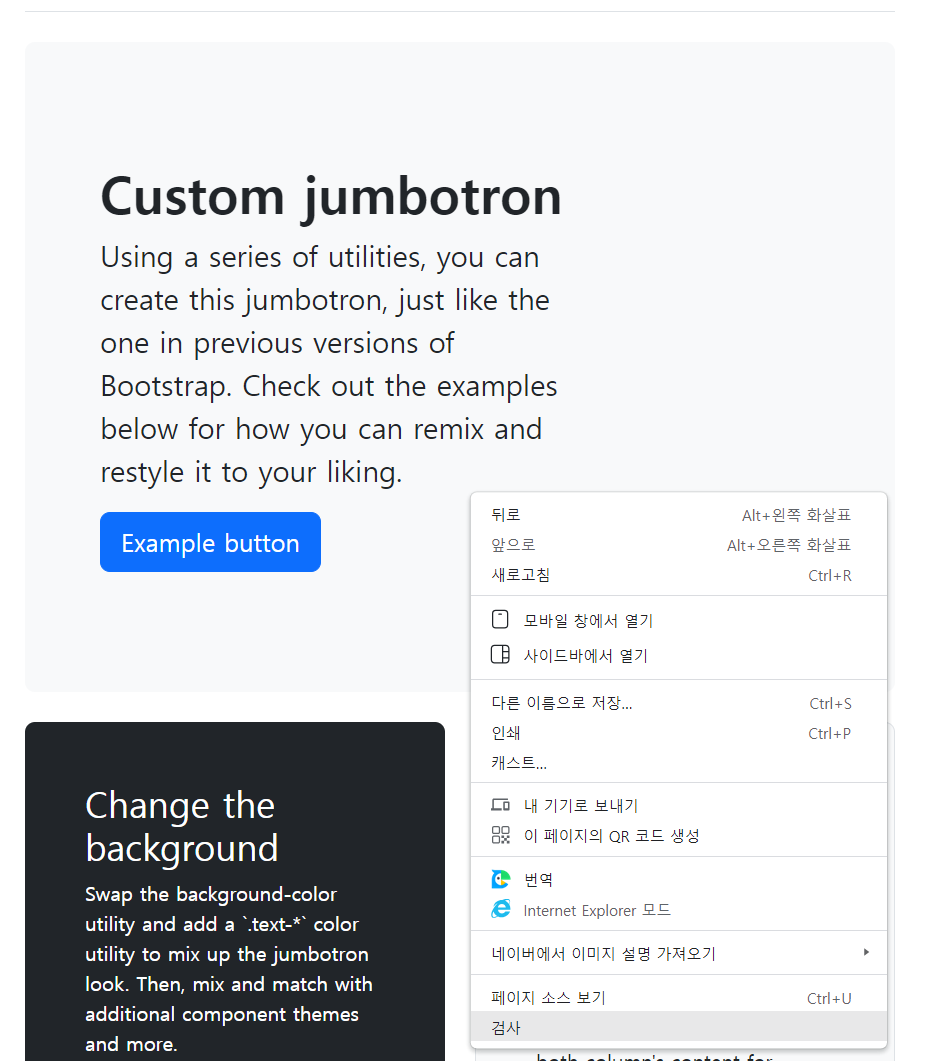
https://getbootstrap.com/docs/5.3/examples/jumbotron/
Jumbotron example · Bootstrap v5.3
Add borders Or, keep it light and add a border for some added definition to the boundaries of your content. Be sure to look under the hood at the source HTML here as we've adjusted the alignment and sizing of both column's content for equal-height. Example
getbootstrap.com
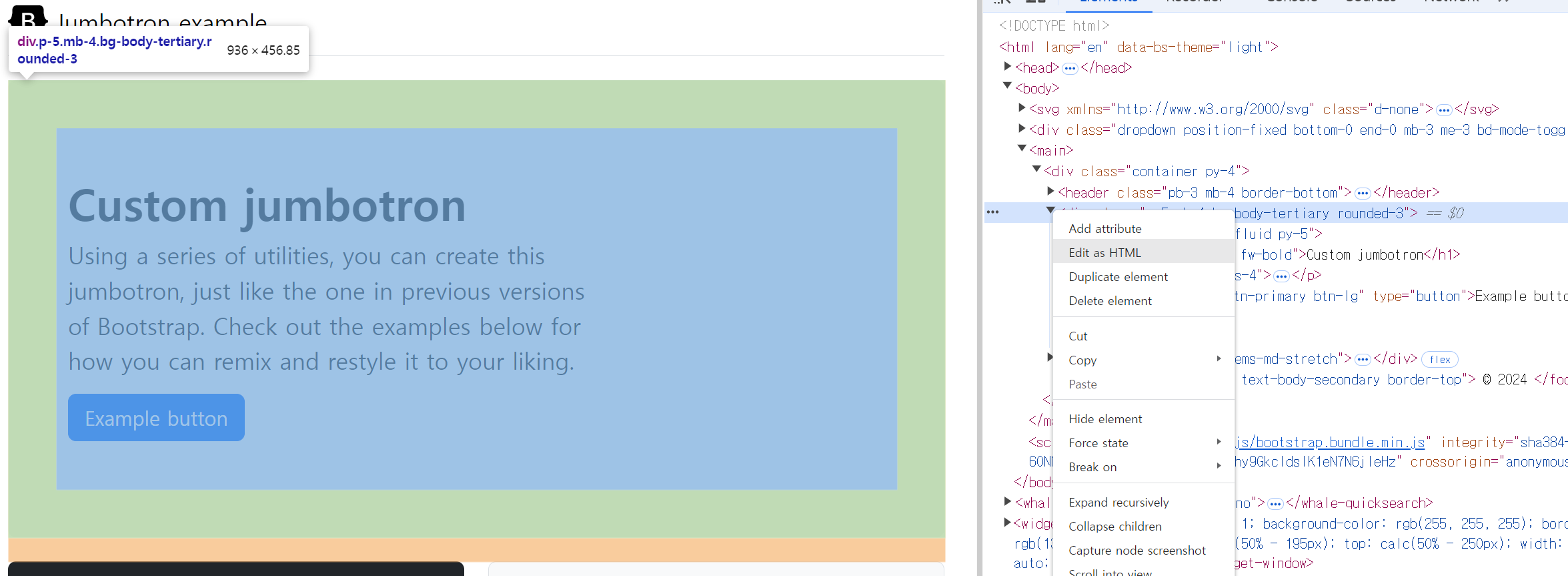
<div class="p-5 mb-4 bg-body-tertiary rounded-3">
      <div class="container-fluid py-5">
        <h1 class="display-5 fw-bold">Custom jumbotron</h1>
        <p class="col-md-8 fs-4">Using a series of utilities, you can create this jumbotron, just like the one in previous versions of Bootstrap. Check out the examples below for how you can remix and restyle it to your liking.</p>
        <button class="btn btn-primary btn-lg" type="button">Example button</button>
      </div>
    </div>
위 코드를 바디 안에 넣어준 후 아래와 같이 수정한다.
<body>
    <div class="p-5 mb-4 bg-body-tertiary rounded-3">
        <div class="container-fluid py-5">
            <h1 class="display-5 fw-bold">킹덤</h1>
            <p class="col-md-8 fs-4">병든 왕을 둘러싸고 흉흉한 소문이 떠돈다. 어둠에 뒤덮인 조선, 기이한 역병에 신음하는 산하. 정체 모를 악에 맞서 백성을 구원할 희망은 오직 세자뿐이다.</p>
            <button class="btn btn-primary btn-lg" type="button">영화 기록하기</button>
            <button class="btn btn-primary btn-lg" type="button">상세 정보</button>
        </div>
    </div>
</body>
바디 안에 요소들을 div로 묶어준 후 class명 main으로 정해준다. 그리고 style에서 .main{}으로 스타일을 꾸며준다.
.main{
            color:white;

            background-image: url("https://occ-0-1123-1217.1.nflxso.net/dnm/api/v6/6AYY37jfdO6hpXcMjf9Yu5cnmO0/AAAABeIfo7VL_VDyKnljV66IkR-4XLb6xpZqhpLSo3JUtbivnEW4s60PD27muH1mdaANM_8rGpgbm6L2oDgA_iELHZLZ2IQjG5lvp5d2.jpg?r=e6e.jpg");
            background-position: center;
            background-size:cover;
        }
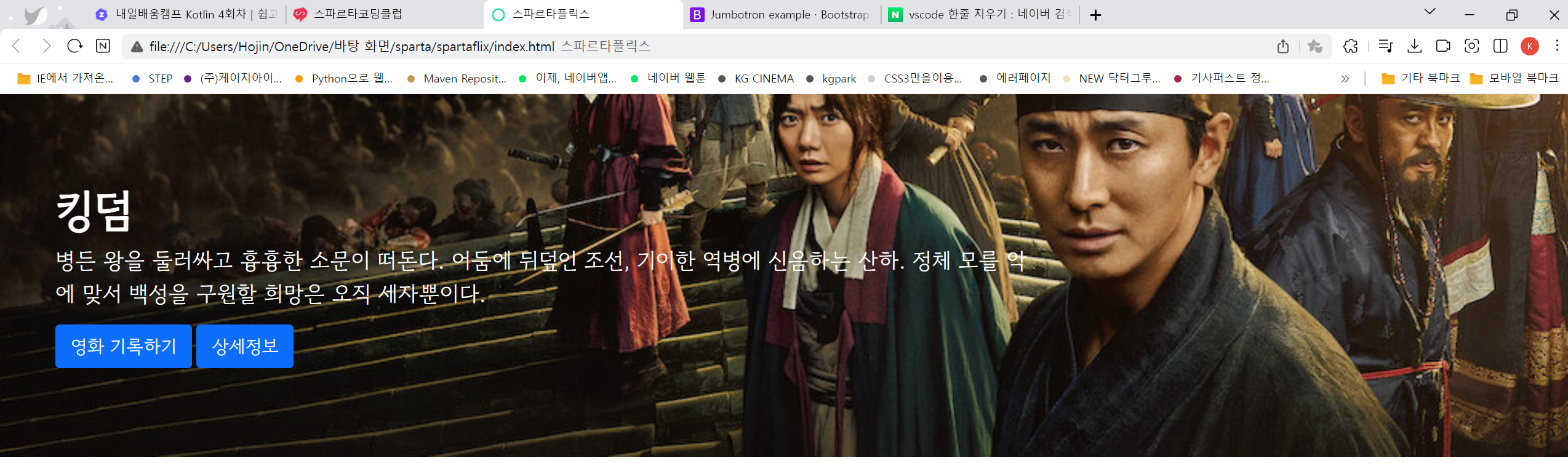
버튼은 부트스랩을 이용하여 꾸며준다.
<button type="button" class="btn btn-outline-light">Light</button>
헤더 또한 부트스트랩을 이용해준다.
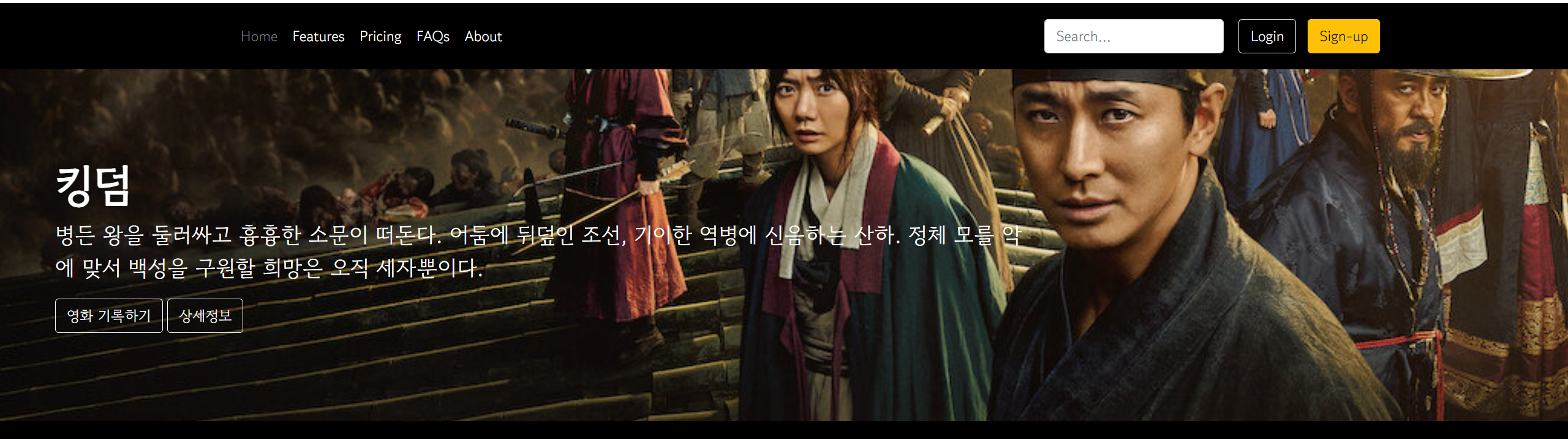
<header class="p-3 text-bg-dark">
    <div class="container">
      <div class="d-flex flex-wrap align-items-center justify-content-center justify-content-lg-start">
        <a href="/" class="d-flex align-items-center mb-2 mb-lg-0 text-white text-decoration-none">
          <svg class="bi me-2" width="40" height="32" role="img" aria-label="Bootstrap"><use xlink:href="#bootstrap"></use></svg>
        </a>

        <ul class="nav col-12 col-lg-auto me-lg-auto mb-2 justify-content-center mb-md-0">
          <li><a href="#" class="nav-link px-2 text-secondary">Home</a></li>
          <li><a href="#" class="nav-link px-2 text-white">Features</a></li>
          <li><a href="#" class="nav-link px-2 text-white">Pricing</a></li>
          <li><a href="#" class="nav-link px-2 text-white">FAQs</a></li>
          <li><a href="#" class="nav-link px-2 text-white">About</a></li>
        </ul>

        <form class="col-12 col-lg-auto mb-3 mb-lg-0 me-lg-3" role="search">
          <input type="search" class="form-control form-control-dark text-bg-dark" placeholder="Search..." aria-label="Search">
        </form>

        <div class="text-end">
          <button type="button" class="btn btn-outline-light me-2">Login</button>
          <button type="button" class="btn btn-warning">Sign-up</button>
        </div>
      </div>
    </div>
  </header>
 body{
            background-color: black;
        }
 <ul class="nav col-12 col-lg-auto me-lg-auto mb-2 justify-content-center mb-md-0">
                    <li><a href="#" class="nav-link px-2 text-danger">spartaflix</a></li>
                    <li><a href="#" class="nav-link px-2 text-white">홈</a></li>
                    <li><a href="#" class="nav-link px-2 text-white">시리즈</a></li>
                    <li><a href="#" class="nav-link px-2 text-white">영화</a></li>
                    <li><a href="#" class="nav-link px-2 text-white">내가 찜한 콘텐츠</a></li>
                </ul>

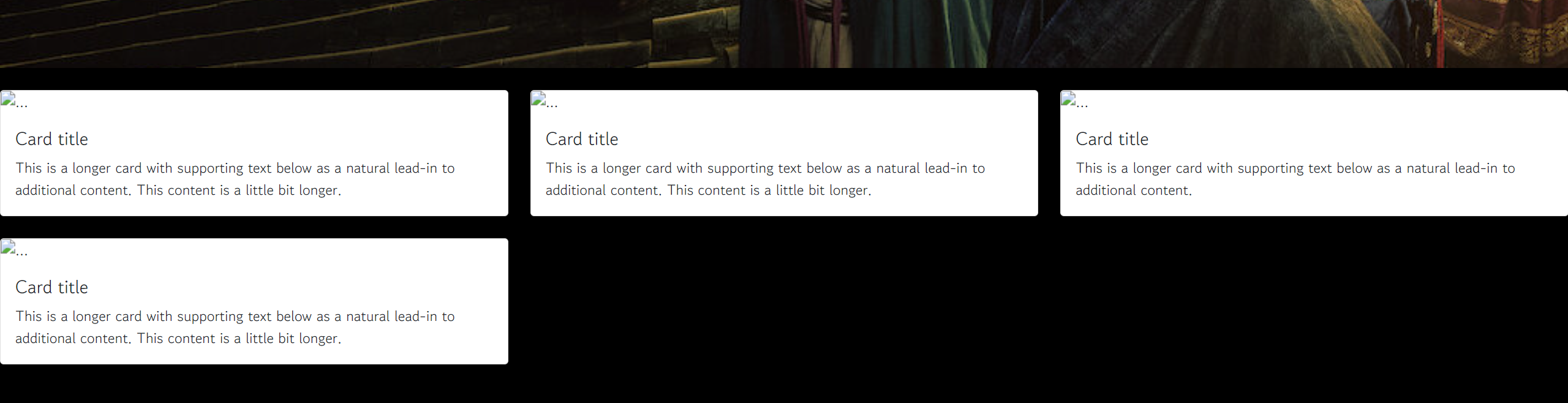
이제 카드들을 넣을 div태그를 만든 후 class명은 mycards로 한후 태그안에 부트스트랩에서 가져온 카드를 넣어준다
<div class="row row-cols-1 row-cols-md-3 g-4">
  <div class="col">
    <div class="card">
      <img src="..." class="card-img-top" alt="...">
      <div class="card-body">
        <h5 class="card-title">Card title</h5>
        <p class="card-text">This is a longer card with supporting text below as a natural lead-in to additional content. This content is a little bit longer.</p>
      </div>
    </div>
  </div>
  <div class="col">
    <div class="card">
      <img src="..." class="card-img-top" alt="...">
      <div class="card-body">
        <h5 class="card-title">Card title</h5>
        <p class="card-text">This is a longer card with supporting text below as a natural lead-in to additional content. This content is a little bit longer.</p>
      </div>
    </div>
  </div>
  <div class="col">
    <div class="card">
      <img src="..." class="card-img-top" alt="...">
      <div class="card-body">
        <h5 class="card-title">Card title</h5>
        <p class="card-text">This is a longer card with supporting text below as a natural lead-in to additional content.</p>
      </div>
    </div>
  </div>
  <div class="col">
    <div class="card">
      <img src="..." class="card-img-top" alt="...">
      <div class="card-body">
        <h5 class="card-title">Card title</h5>
        <p class="card-text">This is a longer card with supporting text below as a natural lead-in to additional content. This content is a little bit longer.</p>
      </div>
    </div>
  </div>
</div>
윗줄에 카드를 4개로 넣고 싶다면
 <div class="mycards">
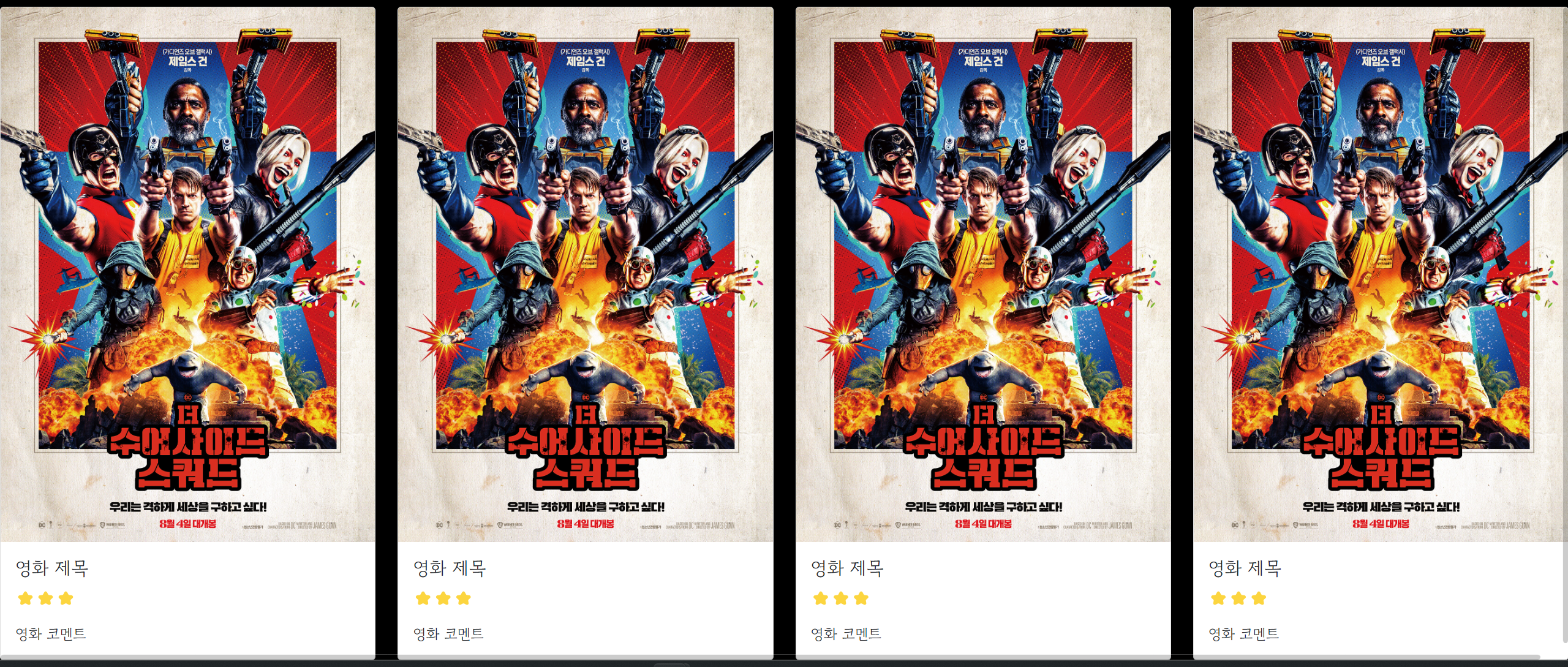
        <div class="row row-cols-1 row-cols-md-4 g-4">
md-3을 md-4로 변경 해준다.

카드를 수정한다.
<div class="col">
                <div class="card">
                    <img src="https://movie-phinf.pstatic.net/20210728_221/1627440327667GyoYj_JPEG/movie_image.jpg" class="card-img-top" alt="...">
                    <div class="card-body">
                        <h5 class="card-title">영화 제목</h5>
                        <p class="card-text">⭐⭐⭐</p>
                        <p class="card-text">영화 코멘트</p>
                    </div>
                </div>
            </div>
카드 부분을 css에서 크기와 여백을 지정해주겠다.
.mycards{
            width:1200px;
            margin: 20px auto 20px auto
        }
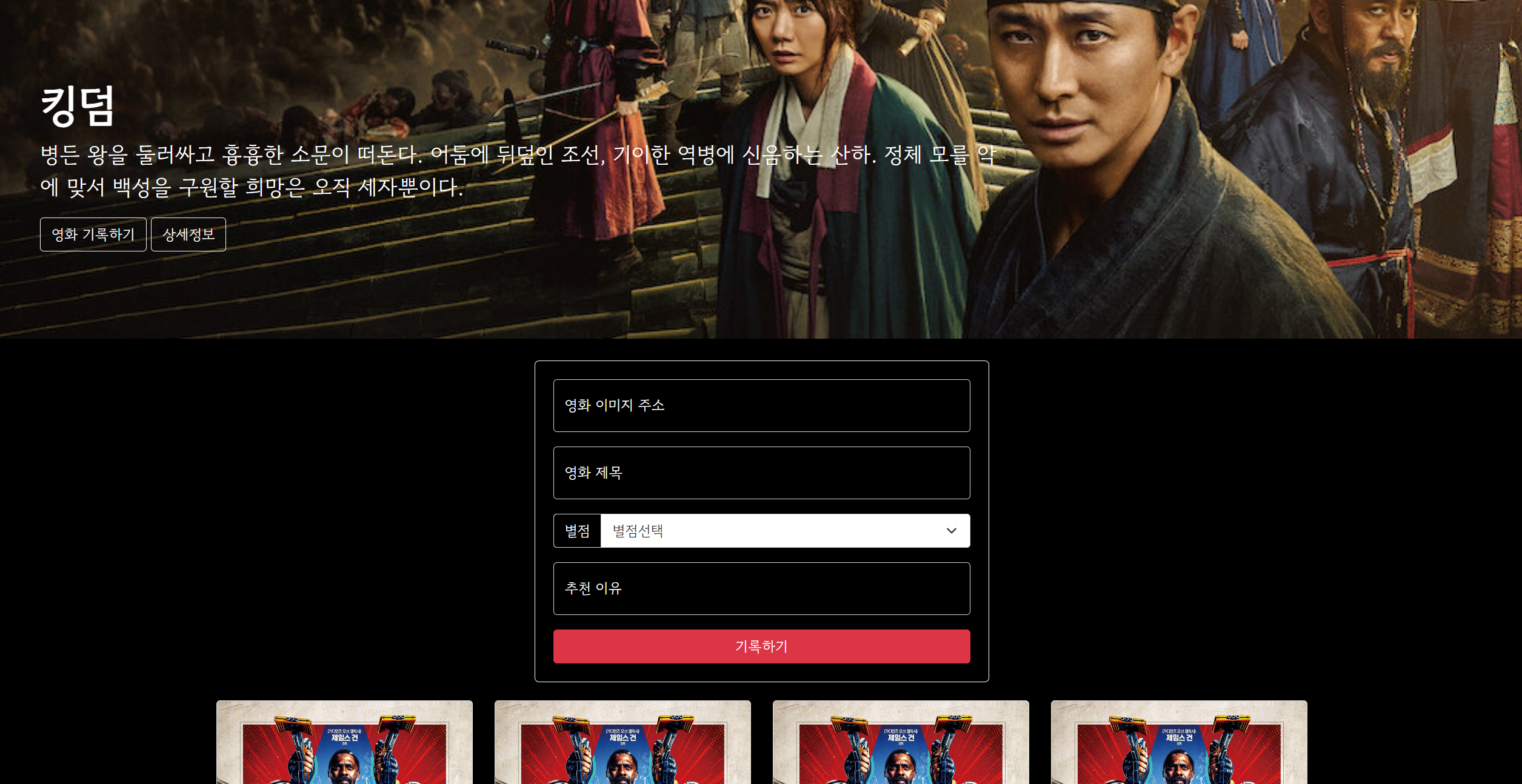
 <div class="mypostingbox">
        <div class="form-floating mb-3">
            <input type="email" class="form-control" id="floatingInput" placeholder="영화 이미지 주소">
            <label for="floatingInput">영화 이미지 주소</label>
        </div>
        <div class="form-floating mb-3">
            <input type="email" class="form-control" id="floatingInput" placeholder="영화 제목">
            <label for="floatingInput">영화 제목</label>
        </div>
        <div class="input-group mb-3">
        <label class="input-group-text" for="inputGroupSelect01">별점</label>
        <select class="form-select" id="inputGroupSelect01">
            <option selected>별점선택</option>
            <option value="1">⭐</option>
            <option value="2">⭐⭐</option>
            <option value="3">⭐⭐⭐</option>
            <option value="4">⭐⭐⭐⭐</option>
            <option value="5">⭐⭐⭐⭐⭐</option>
        </select>
    </div>
main div밑에 위와 같이 코드륵 작성해준 후 css를 적용한다.
.mypostingbox{
            width: 500px;
            margin: 20px auto 20px auto;

            border: 1px solid white;
            padding: 20px;
            border-radius: 5px;
        }
        .form-floating > input{
            background-color: transparent;
            color:white;
        }
        .form-floating > label{
            color : white;
        }
        .input-group > label{
            background-color: transparent;
            color:white;
        }
        .mypostingbox >button{
            width: 100%;
        }
Javascript
브라우저 콘돌에 출력해보기
  <script>
        let a = 'hello';

        console.log(a);
    </script>
<script>
        let a = '안녕하세요';
        let b = '네 반가워요';

        console.log(a+b);
    </script>
    <script>
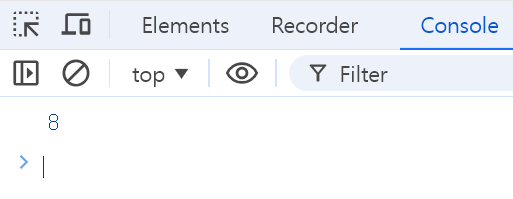
        let a = 5;
        let b = 3;

        console.log(a+b);
    </script>
Javascript 리스트
 <script>
        let a = ['사과','배','수박'];
        console.log(a)
    </script>
 <script>
        let a = ['사과','배','수박'];
        console.log(a[0])
    </script>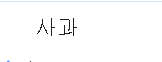
Javascript 딕셔너리
<script>
       let person = {'name':'bob','age':30,'height':180};
       console.log(person)
    </script>
<script>
       let person = {'name':'bob','age':30,'height':180};
       console.log(person['name'])
    </script>
Javascript 조건문
<script>
       let age = 15;
       if(age <20){
        console.log('청소년입니다.');
       }else{
        console.log('성인입니다.');
       }
    </script>
자바스크립트 DOM
<script>
       function hey(){
            alert("안녕하세요");
       }
    </script>
<button type="button" onclick="hey()" class="btn btn-outline-light">영화 기록하기</button>
버튼을 클릭하면 alert창에 안녕하세요 라고 출력된다,
제이쿼리
jQuery CDN
자바스크립트 라이브러리
<script src="https://ajax.googleapis.com/ajax/libs/jquery/3.5.1/jquery.min.js"></script>
<h1 id="title" class="display-5 fw-bold">킹덤</h1>
 <script>
       function hey(){
            $('#title').text('쥬라기월드');
       }
    </script>

$('#태크 아이디 이름').empty(); : 태크안에 모든 내용을 지워준다
$('#태크 아이디 이름').eppend(); : 태크안에 html코드를 삽입.
`html코드`
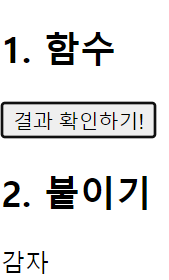
<script>
    function checkResult() {
        let fruits = ['사과','배','감','귤','수박'];
        $('#q1').empty();

        let temp_html = `<p>감자</p>`;
        $('#q1').append(temp_html);
    }
</script>
 <div id="q1">
            <p>사과</p>
            <p>귤</p>
            <p>감</p>
        </div>

<script>
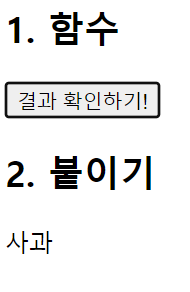
    function checkResult() {
        let fruits = ['사과','배','감','귤','수박'];
        $('#q1').empty();

        let a= fruits[0];
        let temp_html = `<p>${a}</p>`;
        $('#q1').append(temp_html);
    }
</script>
<script>
    function checkResult() {
        let fruits = ['사과','배','감','귤','수박'];
        $('#q1').empty();

        fruits.forEach(a=>{
            let temp_html = `<p>${a}</p>`;
            $('#q1').append(temp_html);
        });
    }
</script>
